Lightbox 2.05 Mods (by TwoHawks)
This Mod is "HTH Mod V1a" (HTHcustCap1a)
Lightbox 2.05 with SEB AutoResize mod and HTH ReCaptioning Version 1a mod:
LinkBack: Lokesh's LightBox Forum
LinkBack: Original Lightbox2 Project
ALL SAMPLE FILES WITH BARE-BONES CODE FOR EASILY MAKING YOUR OWN ARE IN THE DOWNLOAD ZIPS at the end.
THERE ARE 4 Versions so far.. 1a , 1b, 2a , and 2b....
Version 1a/b series is a more simplistic setup, whereas the 2a/b series has More Added Caption enhancements.
• HTHcustCap1a:
• AUTORESIZE: a reworked integration of Fabian's integration of Sebastian's AutoResize ...updated for LB2.05. Images larger than window viewport are resized to fit. A link appears when this happens, allowing visitor to view full-sized image in a popup window.
• ADDED Prev/Next Navigation Buttons TO BOTTOM
• Close Button ReLocated on the Bottom Nav-Button Row
• ADDED TITLE and DESCRIPTION CAPTION ATTRIBUTES for better and easier separation and handling of Title and Caption Description. These 2 new attributes added for making title and description
- independent from one another,
- more customizable, and
- easier to customize.
- Allows better use of title attribute for proper SEO as well.
- Title (data-lbtitle): for distinctive Titles for Images - no longer co-mingled with the native Title attribute
- Caption Description (data-lbcap): for distinctive Global Styling of Image Caption Descriptions - no longer bound to Titles
• HTHcustCap1b: Same as v1a, with
• CLOSE BUTTON RELOCATED (MOVED UP) from the bottom to Just Under the LB Image (a lot of people wanted this)
• HTHcustCap2a:
• ADDITIONAL CAPTIONING ENHANCEMENTS (over the version 1 series)...
- Extra Attributes for facilitating easier application of enhancements (formatting, links, scripts) to titles and/or descriptions and/or Image '# of #' sections
- For Coders: Easy to add persistent links, or even new sections (your own new attributes) for adding more complexity to the caption area
• Close Button Up Under Image
• minor fixes and adjustments
***NOTE: Additional attributes means More Versatile and Simpler Caption Entry AND a More Scriptable Image Caption Section. Armed with more attibutes we can conceivably auto-populate a unique title, caption, links... using human-friendly text, even dynamicly assign title tips to any of the links.
THE ADDED ATTRIBUTES:
- TitleLink ("data-lbtitlelink"): facilitates easily adding a link to an Image Title, or below it, next to it, etc
- Secondary Caption Description (data-lbimgdesc): facilitates adding a custom second text area to a caption, either globally or unique to any LB image."
• HTHcustCap2b: Same as 2a Mod, but the
• CLOSE BUTTON on BOTTOM in Navigation Buttons Row (for those who want that
Tested in IE6-8, FF 2-5, Opera 9-12, Safari 3-5, Chrome xx-12
Not Tested Yet on Mac
I don't have Win7, so I cannot test IE9 - Feedback would be apreciated
This is based on Fabian's integration for LB2.05 of Sebastians' AutoResize Mod
The files are fully commented.
Thank you to Lokesh, Sebastian, and Fabian for your creative diligence and sharing.
Any code I have applied may be freely co-opted for the relevant project(s) (of course ;^)
NOTE: A lot of non-coders may feel intimidated seeing too much notes and code.
- If you are not into messing with too much code, just stick to the simple basics and it will be easy,
- If you are more adventurous but not really a coder -- its not as hard as it may appear to jump in and apply other tweaks that are made available to customize.
- TOC
- Versions / Features (up above)
- Pre-Note on Custom Attributes Validation Issues
- Custom Attributes Available to Use
- Syntax Example
- SNAPSHOT ---------------------
- Testing Tips
- ***Examples***
- **INSTRUCTIONS for SETUP and IMPLEMENTATION**
- **Conventions**
- Troubleshooting Paths
- Downloads and Demo Links
- Update History
Pre-Note on Custom Attributes Validation Issues:
- Use of Custom Attributes in webpages is not 'strictly' professionally advised (xhtml pun intended ;^) because custom attributes will not validate, and browsers may not know how to handle them, resulting in inconsistent behavior.
That said, application of custom attributes strictly for/with javascripted effects (as is being done here) is not necessarily an issue, AS LONG AS one is careful to make sure pages' code are otherwise validating properly. The only one's it is going to bother are those who insist on perfectly validating code in their pages across the board.
Technically, within the javascript context here, the inability for custom attributes to validate will not adversely effect SEO, or page rendering issues.
- Custom Attributes are not added to the DOM without registering them with proper DOCTYPE customization or SCRIPTING.
- The Prototype Abstraction layer allows us to use Custom Attributes with scripts like LightBox, where they get 'artificially added' to the DOM, but not natively, meaning they will not be seen, or effective, outside the scope of the script.
- As well... Since HTML5 is adding the ability to create and use Custom Attributes, meaning they will be natively added to the DOM during rendering, I am using that syntax (data-xxxx="myAttr") for forward compatibility.
If that last bit is all geek to you, don't worry about it. When you begin learning about Validation and its importance, this will be a significant reference.
Frees up the use of the native 'title' tag for normal use.
Also allows for independently setting formatting for the lbTitle as compared to a caption "description" (up ahead).
- data-lbcap: Use this for Description Txt underneath the Title
Notes on the native "title" attribute and why I replaced LB's use of it:
- when used for groups, the first one always appeared on hover, which poses problems in some intended applicatons/usages
- the title attribute can have other seo value for all your images, and your site,
For these reasons I saw fit to give LB its own title attibute to work with, and I would recommend still using the title attribute on your links for its native seo value potential.
SYNTAX EXAMPLE
NOTE: While Version 1x is an Improvement, its still a bit ugly when adding link info into the caption zone. Compare this to Version 2x - which make it even more (much much) easy.
SNAPSHOT EXAMPLE
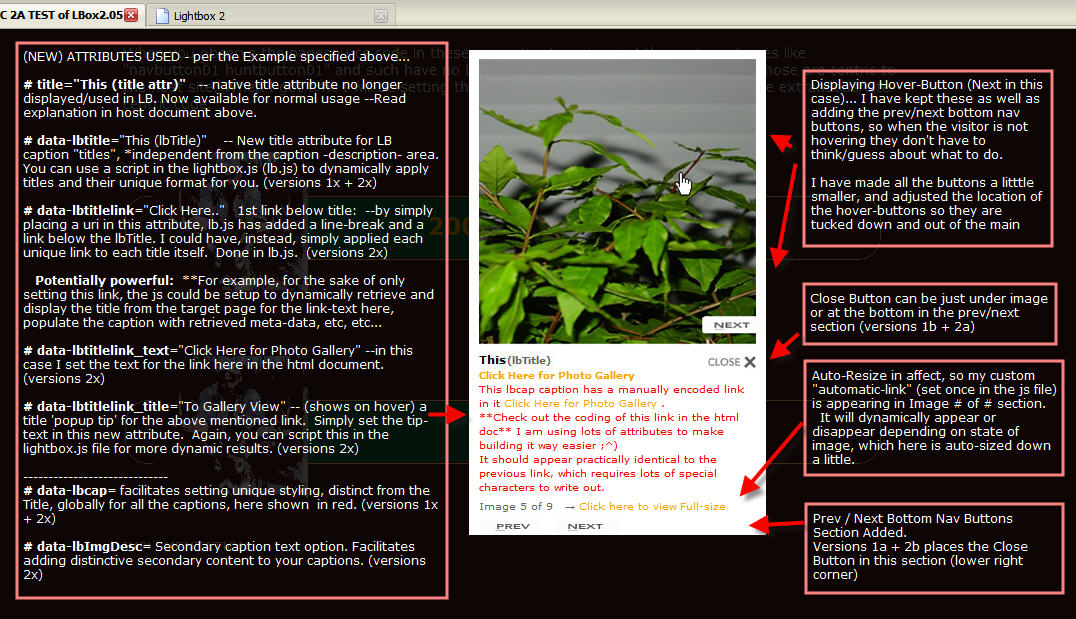
(Go play first, then come back here and check this TEST LIST ;^)
- resize window while LB is open, i.e, after going once thru all the images, as you go back, resize the window as you hit each image
- resize window before LB open to, alternately, smaller height then smaller width, THEN open LB (click a link) and check for any overlapping of elements within the lightbox - nothing should overlap
- observe the "click for full-sized view link" when autoresizing kicks in
- observe the "click for full-sized view link" results in pop-up window
- observe when closing full-size pop-up window if/when lightbox is dismissed (see js file for settings) - under these different conditions go thru all images and observe things like:
- Do the Prev/Next hover overlays and bottom buttons appear, and is the display of prev at beginning, and next at the end, being properly suppressed
- Does text flow/break where it should, or is there overlap (under/over close button, and/or lines above/below
- Do the Buttons Shift around or stay in their proper relative positions
- Is there any flashing
- Do all the anticipated data, from looking at the link code, appear in each image caption
- Is there consistent padding for captions
- I am probably leaving many things out, but hopefully these suggestions help carefully check things that are important that you might miss
- prev/next hover appear and work, (and overlays are properly sized)
- prev/next buttons (new) appear on single line, and in same position begin to end
- remove extraneous divs to shorten document and test when LB opens and extends past bottom of page
- alternatively ...zoom in/out and check all the things above
- ***Look at the html file's source code and observe the link syntax for the various applications***
NOTES:
- ***IMPORTANT*** I PURPOSEFULLY made the examples so when the window is resized smaller you may observe captions expanding beyond the bottom of the window (cut-off). The point of demonstrating this is to bring your attention to the CONFIGURATION ADJUSTMENT you can use to control this, which you will find in the Configuration Options section in the JS file.
I could easily make it so none of the captions ever breach the bottom of the window -- and so can you, and that's the whole point of showing you the potential issue, and indicating where/how to customize this behavior ;^)
EXAMPLES
Example 1: Single Image Link

Example 2: Grouped Images with the Group Hidden
(using display:hidden just to show how/where to apply that IF ever needed, which typically it is not)

1. In the above example, Note the use of a second div utilizing display:hidden for hiding the associated group of images. This is not typically necessary, but in some cases you may need to do it this way.
2. In both examples, see how the Title attribute is providing a unique pop-up tip on the page, but does not interfere with the titles for the images in the lighbox display.
3. In the Grouped Images Example, did you notice that when the window is made smaller you automatically get a "link" for "Viewing the Full-Sized Image? This is one of the features you will find added to the lighbox.js file.
4. The "popup function" for the link relies on a simple javascript you will find in the Head section of this file, since I did not want to presume to add it to the lightbox.js file (its not an implicit part of lightbox...). If you use that script, it would be best to place it into your own javascripts file you use for your website. Of course, the idea is to demonstrate how you can create and use any sort of script you wish.
Example 3: Single Image Links (using linked image, instead of text as in sample1)

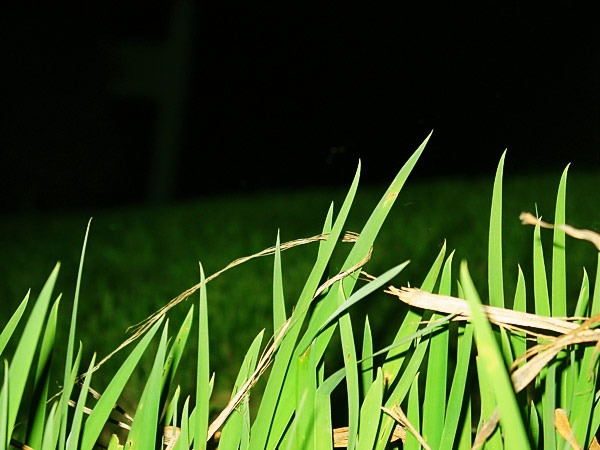
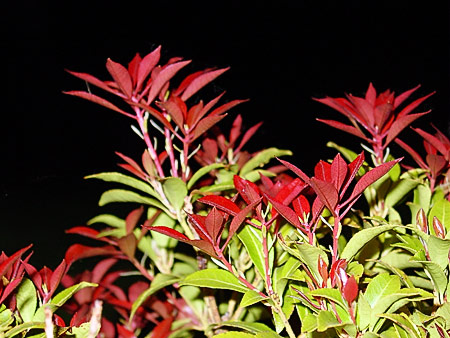
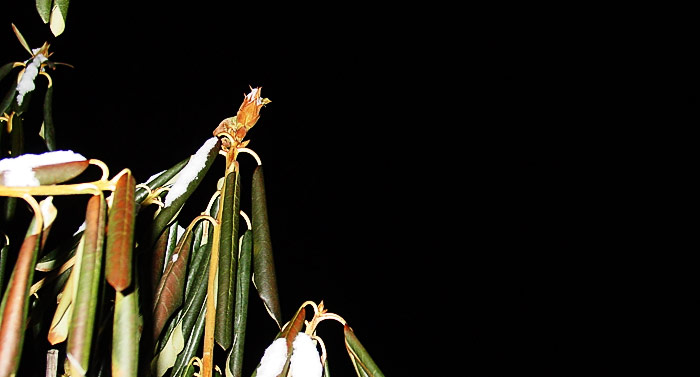
Example 4: Grouped Images with the Group Displayed as Thumbs

INSTRUCTIONS for SETUP and IMPLEMENTATION
1) Download and PreTest
- Choose a Package Below and Download It
- UnZip Package. You will have a folder named "lightboxHTHcustCapxx" with all the necessary contents...
- To Test: Place that folder into the root of your website,
open "SimplifiedExample.html" and test.
2) After you are satisfied it works...
- Integrate:
- Copy ALL Files from each of "css", "images" and "js" Folders to where you want to store them on your site
- Adjust the Paths in lightboxHTHcustCap##.css and lightboxHTHcustCap##.js to accommodate the new locations as instructed
- Now Edit YOUR OWN TEST WEBPAGE for Lightbox Effects BY Following the Conventions in This File ("SimplifiedExample.html")
3) After you are satisfied it works...
- CUSTOMIZE Lightbox Settings:
- In the .JS file, adjust the Configuration Options
- Some may wish to apply some customizations in the CSS file also
CONVENTIONS Used in the Sample Test Document:
HEAD Section of your HTML file Contains
- link(s) to LB css
- a style adjustment for resetting the default Body Margins (for cross-browser compatibility)
- link(s) to LB scripts
- a custom script for pop-up links (if you choose to use that feature, it facilitates opening an automatically downsized-image for full-sized view into a new window)
BODY Section Contains
- examples for things you can do with your links for lightbox effects
Lightbox CSS File contains
- Pathway Adjustments you make for connecting to previous/next buttons
Lightbox JS File contains
- Options settings you make, including Pathway Adjustments for CloseButton and LoadingImage gifs
- Customizations for AutoResizing function, AND
- Customizations for Captions Styling and/or Other Modifications
**TROUBLESHOOTING and PATHS**
If you do not understand about PATHS, THEN You Need to Understand this... GO HERE AND READ THIS FIRST:ABOUT PATHS: Absolute Root-Relative Document-Relative.
THEN you can understand how to adjust and fix it.
Check your links in the HEAD of your webpage, and the links in lightboxHTHcustCap## .css and .js files.
I could not test in IE9 or on a Mac (yet),! feedback is welcome !
I am just a working guy, not much time to package this nicely and provide support, but will help where I am able.
If you picked up my first one from before 9/25/2011, ditch that for a proper updated one below.
You may not like my customizations, smaller buttons, relocated, etc, but I left all my notes in the files -- its really easy(er) to learn and make changes to affect what you like if you have a little skill and patience ;^)
Essentially I added Sebastian's autoresize mod, redone by Fabian for LB 2.05, and updated and optimized it. Then I started in on adjusting the buttons and on captioning.
I implemented a lot of tweaks and fixes along the way.
I efforted to keep the scope of all changes within the spirit of Lokesh's project (coding manner).
It should also be easier to make ajustments now without breaking it ;^)
DOWNLOADS and DEMOS
lightboxHTHcustCap1a *demo / DOWNLOAD*
- autoresize fully updated and optimized for LB2.05
- added nav buttons to bottom and adjusted size and positioning of hover overlay buttons
- basic custom caption features
lightboxHTHcustCap1b *demo / DOWNLOAD*
- same as 1a, but moved close button UP to just below image
lightboxHTHcustCap2a *demo / DOWNLOAD*
- adding more captioning options and flexibility for adjusting the bottom clearance
#2a Has the Close Button in Upper Area
lightboxHTHcustCap2b *demo / DOWNLOAD*
- Same as 2a, but has the Close Button in Lower Area
NOTE: I WILL NOT BE LEAVING THESE FILES AT RUSH CREEK. THEY ARE ONLY HERE WHILE I AM WORKING ON THEIR SITE, THEN I WILL MOVE THEM. I WILL POST AT LOKESH's FORUM WHEN I DO (so don't worry about it)!
UPDATE HISTORY
UPDATE NOTE:
To Update
- download the updated version of the one you have, i.e, 1a, 1b, 2a, or 2b
- backup your old verson's files
- replace/update the following files
- lightboxHTHCustCap--.js
- lightboxHTHCustCap--.css
- update and/or add any newer image files
- ***update/EDIT the newer CSS and JS files with your pathways, settings, AND any customizations you may have applied (for styling, links, etc)
=====================================================
UPDATE 11/25/2011 NOTES:
- added control for autoresize "view full size image" link: When clicking the "Click for full size version" link, added a setting for whether Lightbox Remains or is Dismissed.
This applies when you set up series "groups" (i.e., rel="lightbox[groupX]").
=====================================================
UPDATE 11/23/2011 NOTES:
- added highlighting to navbuttons
=====================================================
UPDATE 11/15/2011 NOTES:
- TOTALLY REDONE SO EASIER TO DOWNLOAD, INSTALL, and CUSTOMIZE (yes, I mean for Novices - I promise ;^)-
- a minor correction (note really) for handling cross-browser issue that was not highlighted before
- Added Snapshots for each Demo, and they are each fully self-contained now - no more jumping around to other demo's for complete info
- Any one of the versions now resides completely in its own folder -- no grabbing files necessary - I wrapped it up for you.
- Also, I made a "SimplifiedExample.html" with all the stuff from the Demo's stripped out, so when you go to install any of the versions its a straight forward, simplified, procedure.
=====================================================
UPDATE 10/10/2011 NOTE:
- Same mods, with...
- some code improvement/correction tweaks,
- better fixes for background overlay handling for Opera (9-11.5),
- fixed switching off the auto resizer, it now works correctly [sorry about that;^],
- ***added a snapshot with some helpful pointers about intended features and benefits
=====================================================